
Pay My Kids
Family Chore & Allowance Bank
Stop trying to remember who mowed the lawn, who owes their sibling $5, and how much allowance you promised last Friday. Pay My Kids turns your family's chores and allowance into a simple, transparent family ledger—across iPhone, iPad, Apple Watch, and Siri—with no real bank accounts or debit cards required.

Key Features
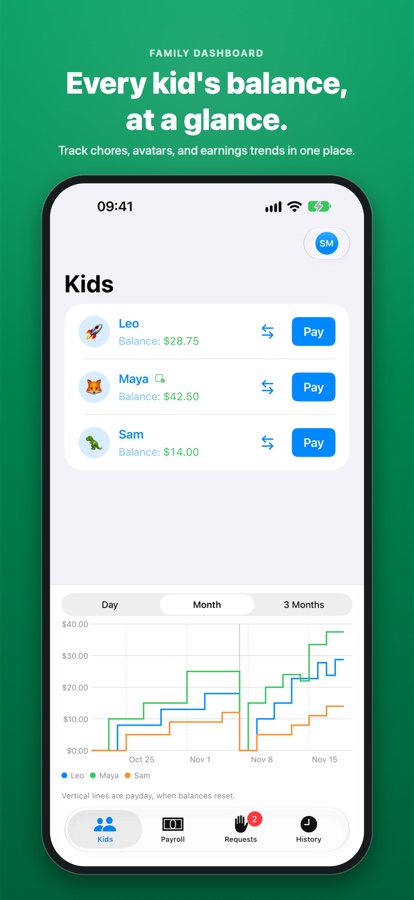
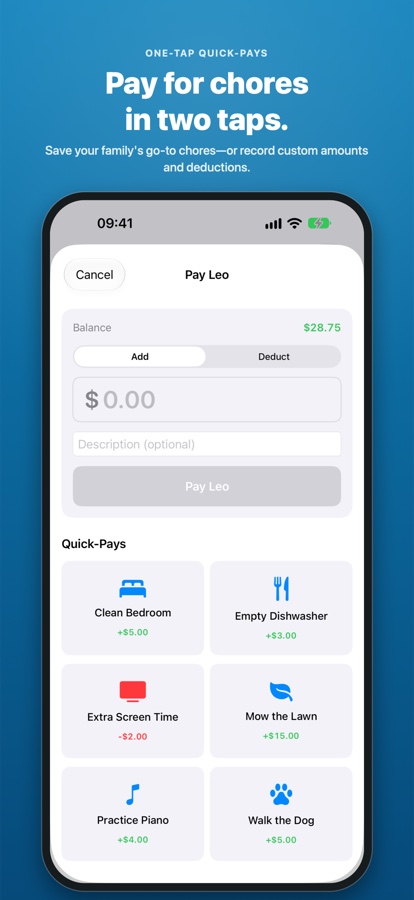
See every kid's running balance and earnings trend at a glance, and pay or charge for chores in two taps.
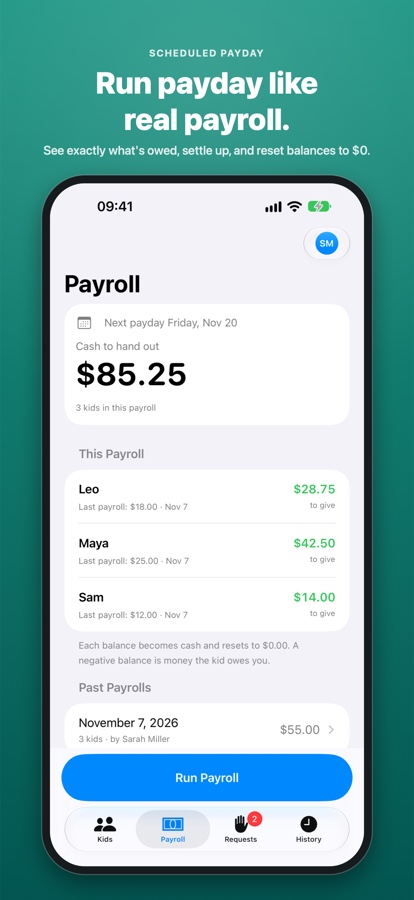
Pick a weekly, bi-weekly, or monthly payday. Settle up with cash or Apple Cash, clear balances, and keep a permanent payout log.
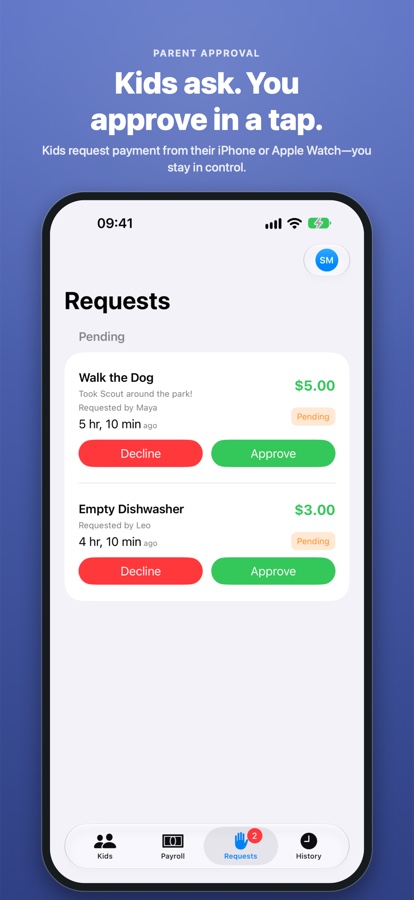
Pair a kid's Apple Watch with a quick QR scan—or invite them on iPhone—so they can check balances and send parent-approved payment requests.
Say "Pay Maya 5 dollars in Pay My Kids" or "Check balance in Pay My Kids" in the moment before you forget.
Invite a co-parent to share the same ledger, and record kid-to-kid transfers in seconds without digging for change.
No real bank connections, no ads, no third-party tracking, Sign in with Apple support, and in-app account deletion anytime.
App Screenshots
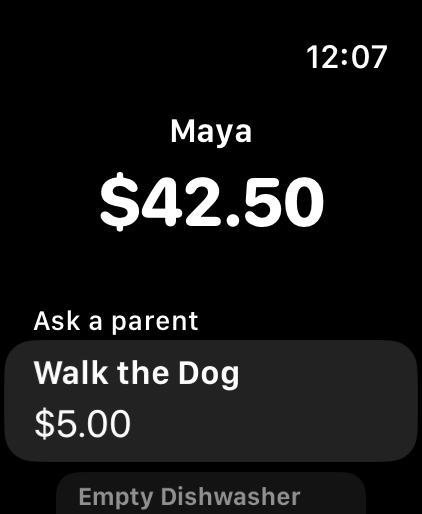
Built for Kids on Apple Watch
Pair a kid's Apple Watch by scanning an on-screen QR code in seconds. Kids can check their live balance right from their wrist and tap “Ask a parent” to request payment for finished chores—no phone required.
Pay Hands-Free with Siri
Record chores and transfers while your hands are full:
- “Pay Maya 5 dollars in Pay My Kids”
- “Charge Leo 3 dollars in Pay My Kids”
- “Transfer 4 dollars from Leo to Maya in Pay My Kids”
- “Check balance in Pay My Kids”
- “List chores in Pay My Kids”
Questions or Feedback?
Check the FAQ for setup tips on Apple Watch pairing, family invitations, and Siri Shortcuts, or reach out anytime.